Reducing Complexity While Maintaining Structured Planning and Tracking
Designed an internal tool for a 20–25 person team to simplify sprint planning, improve ownership visibility, and reduce overcommitment. Replaced fragmented workflows and heavy PM tools with a lightweight system better suited for small team execution.
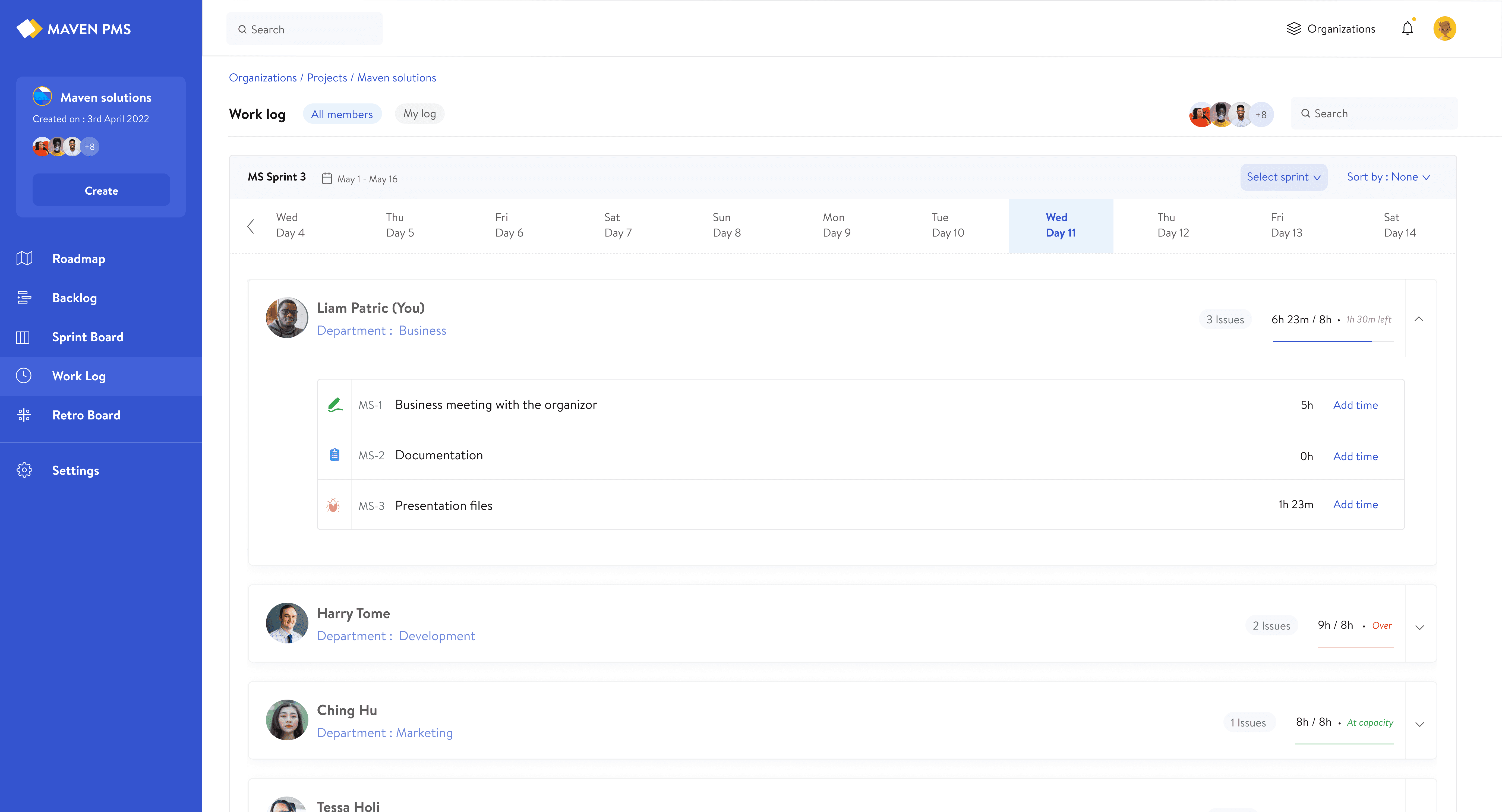
track ownership and progress
understand priorities
see how much work the team was actually committing to
Product Designer
Project Management Internal Dashboard
3 Months
SYSTEM THINKING
Designing the System for Small Team Workflows
To solve this, I designed a simplified system that mirrors familiar project management structures while removing unnecessary layers that slow down small teams.
System Structure
While the structure follows a familiar project management hierarchy, it was intentionally simplified to reduce setup, limit configuration, and enable faster task management for small teams.
Login & Access
Organization
Project
Sprint
Roadmap
Worklog
Roles & Permissions
Access and control were structured to balance flexibility with clarity
Core Workflow
The system supports a simple, repeatable workflow
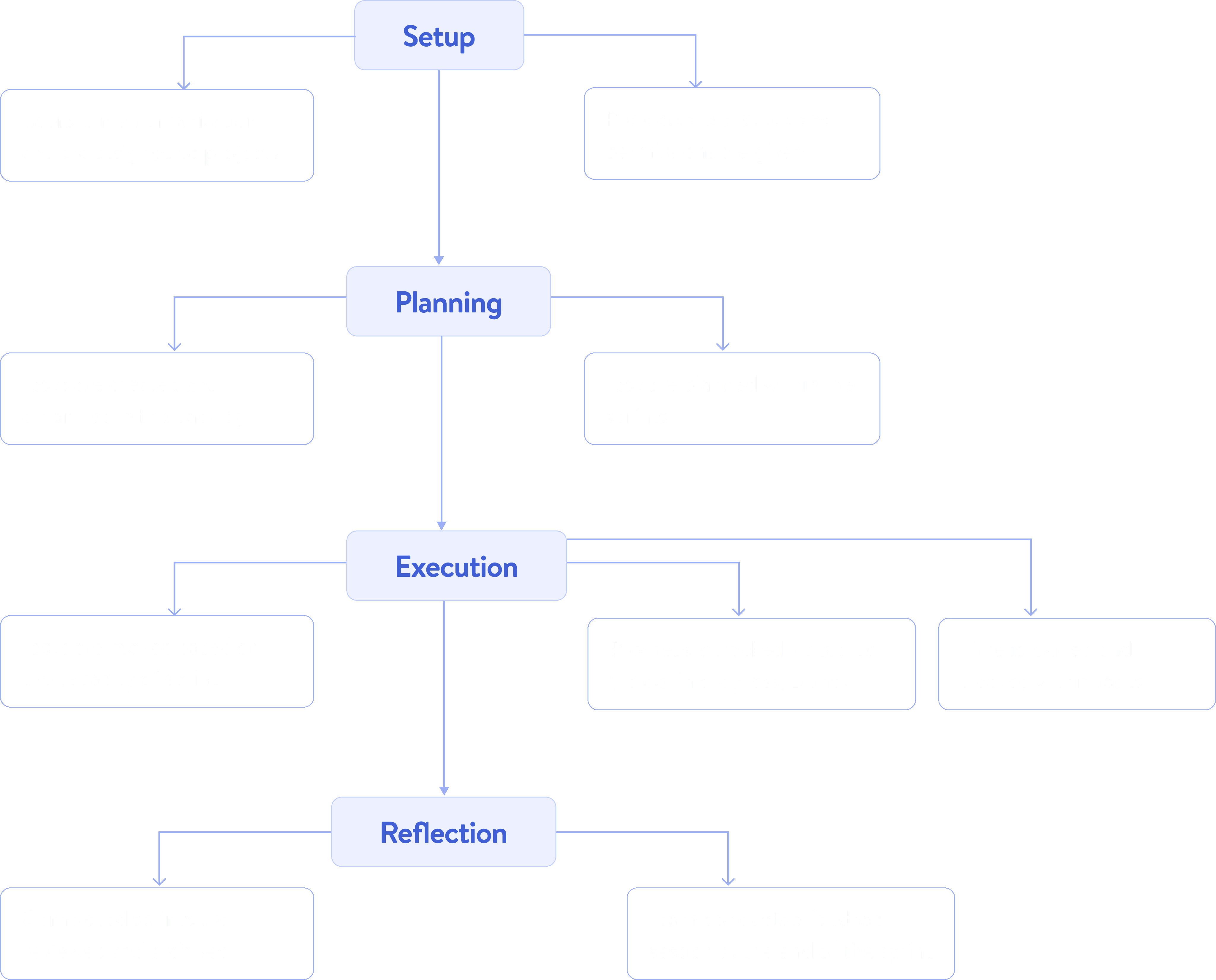
Key System Decisions
To keep the system simple and easier for the team to use
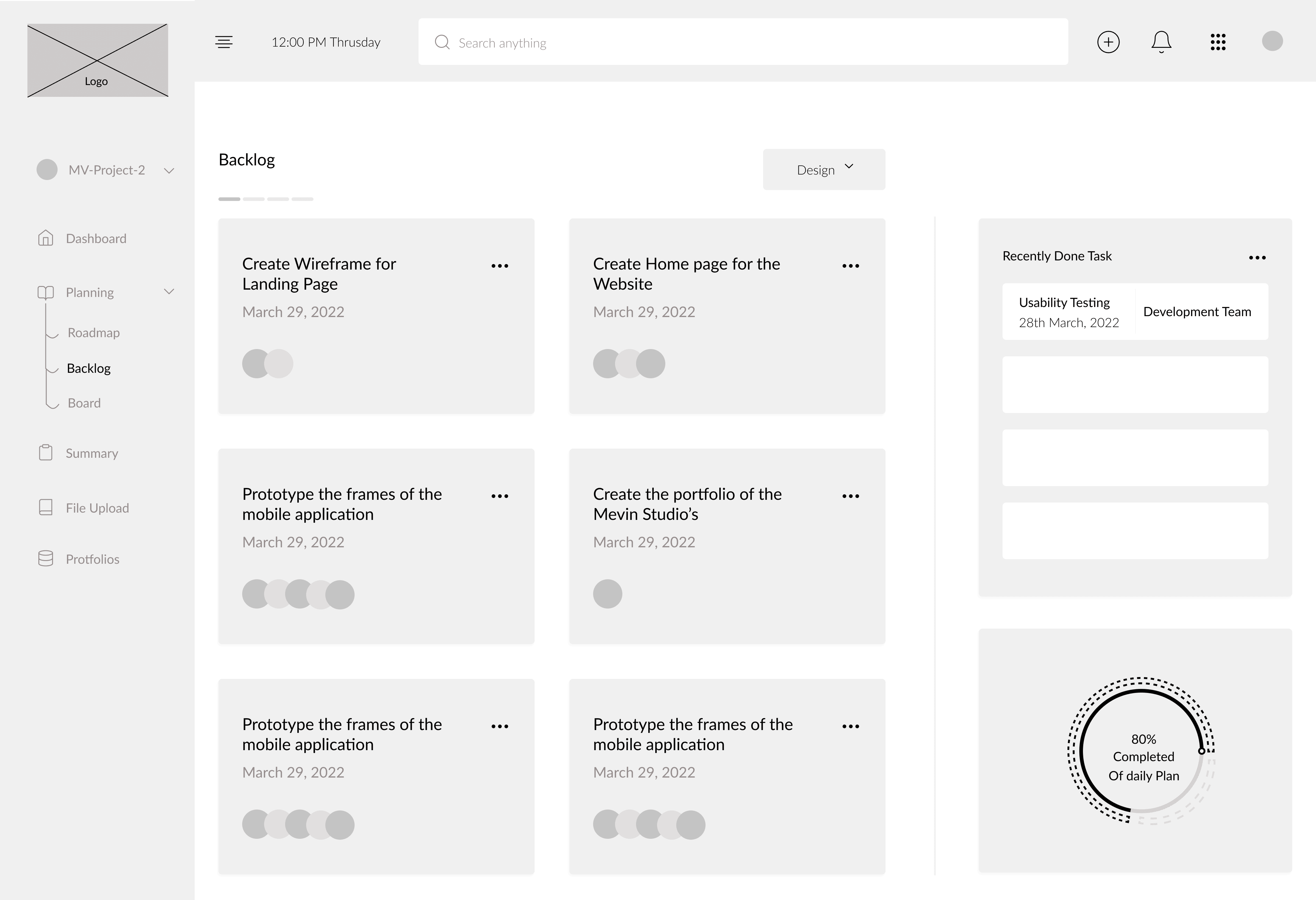
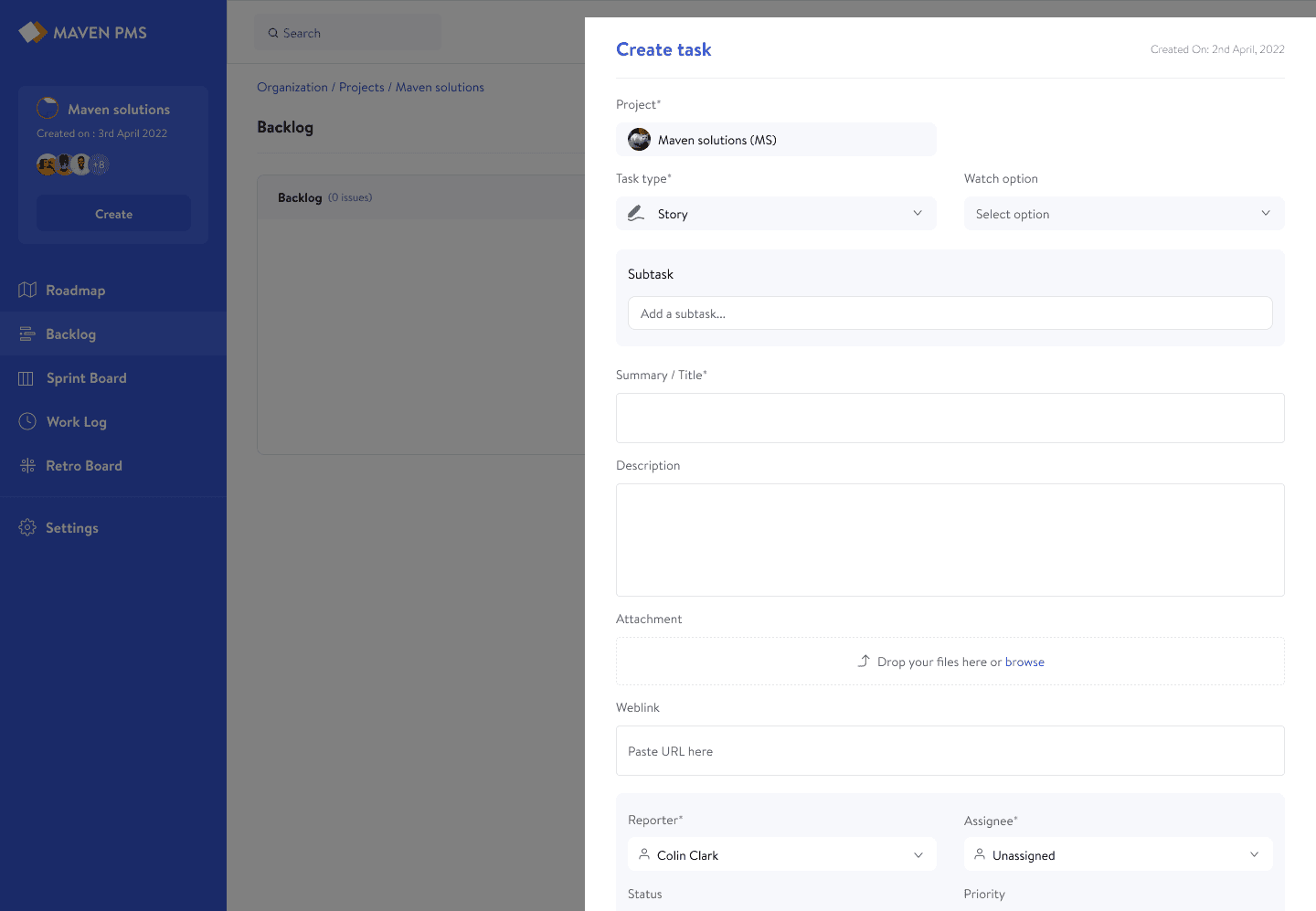
Core Product Workflows
The system supports the full workflow from planning to execution, covering backlog management, sprint planning, progress tracking, and high-level visibility.
Sprint Planning & Execution
Planning a sprint should be fast and clear. This flow reduces setup overhead while making workload visible as teams decide what to commit.
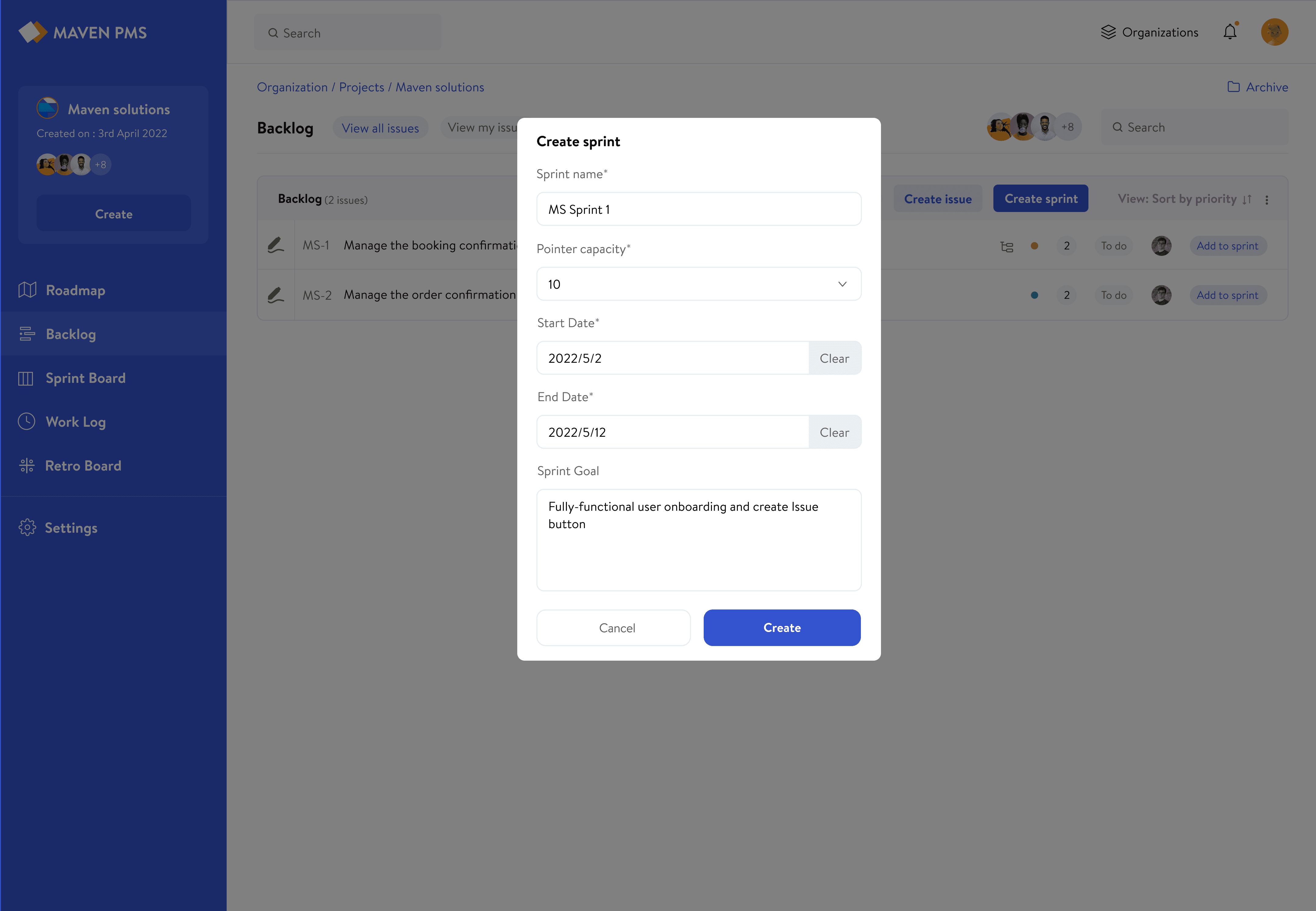
Sprint Setup
Capacity is defined upfront so teams understand limits before committing work, allowing them to plan within clear boundaries from the start.
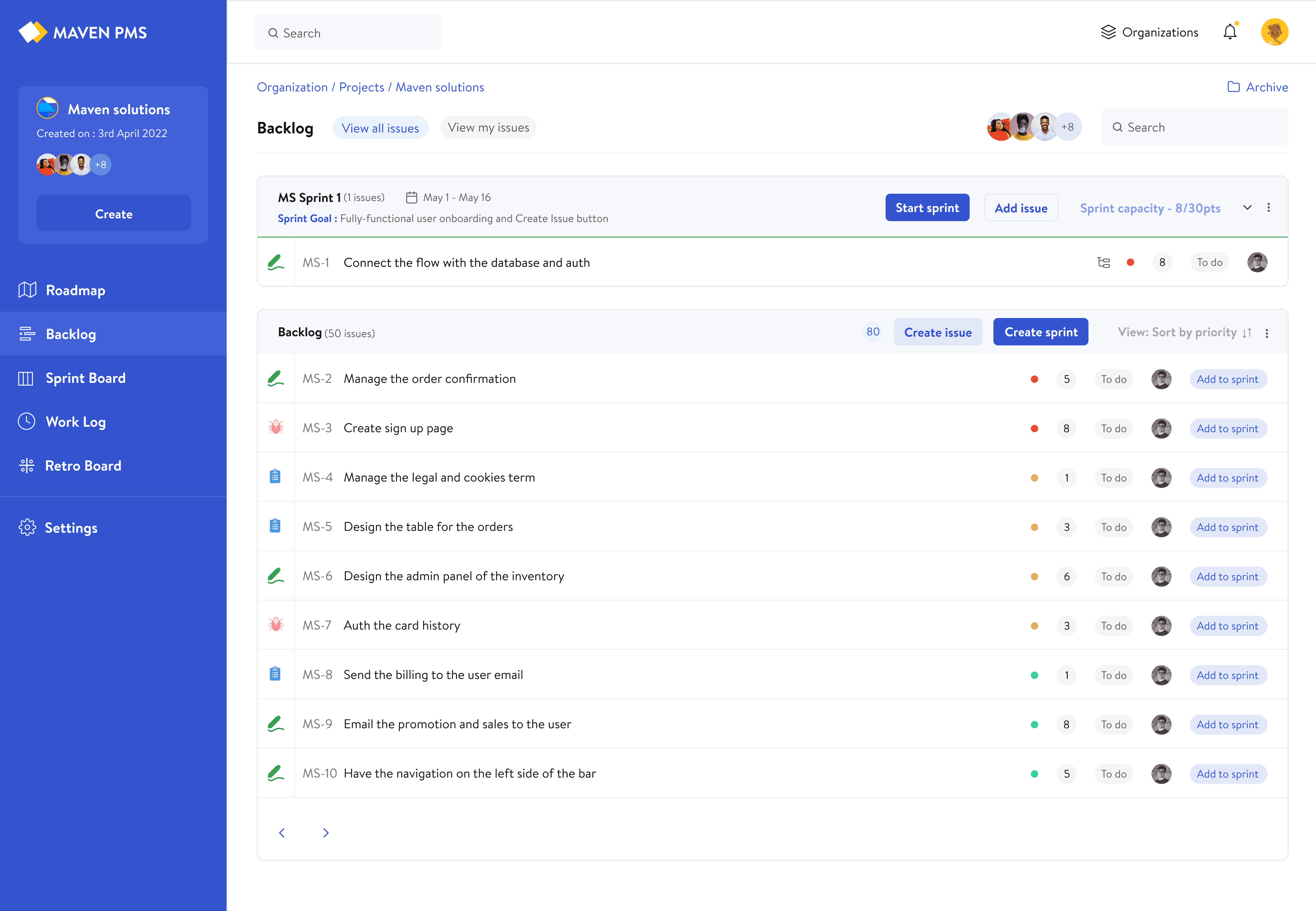
Plan in Real Time
As tasks are added, capacity updates instantly, making tradeoffs visible during planning.
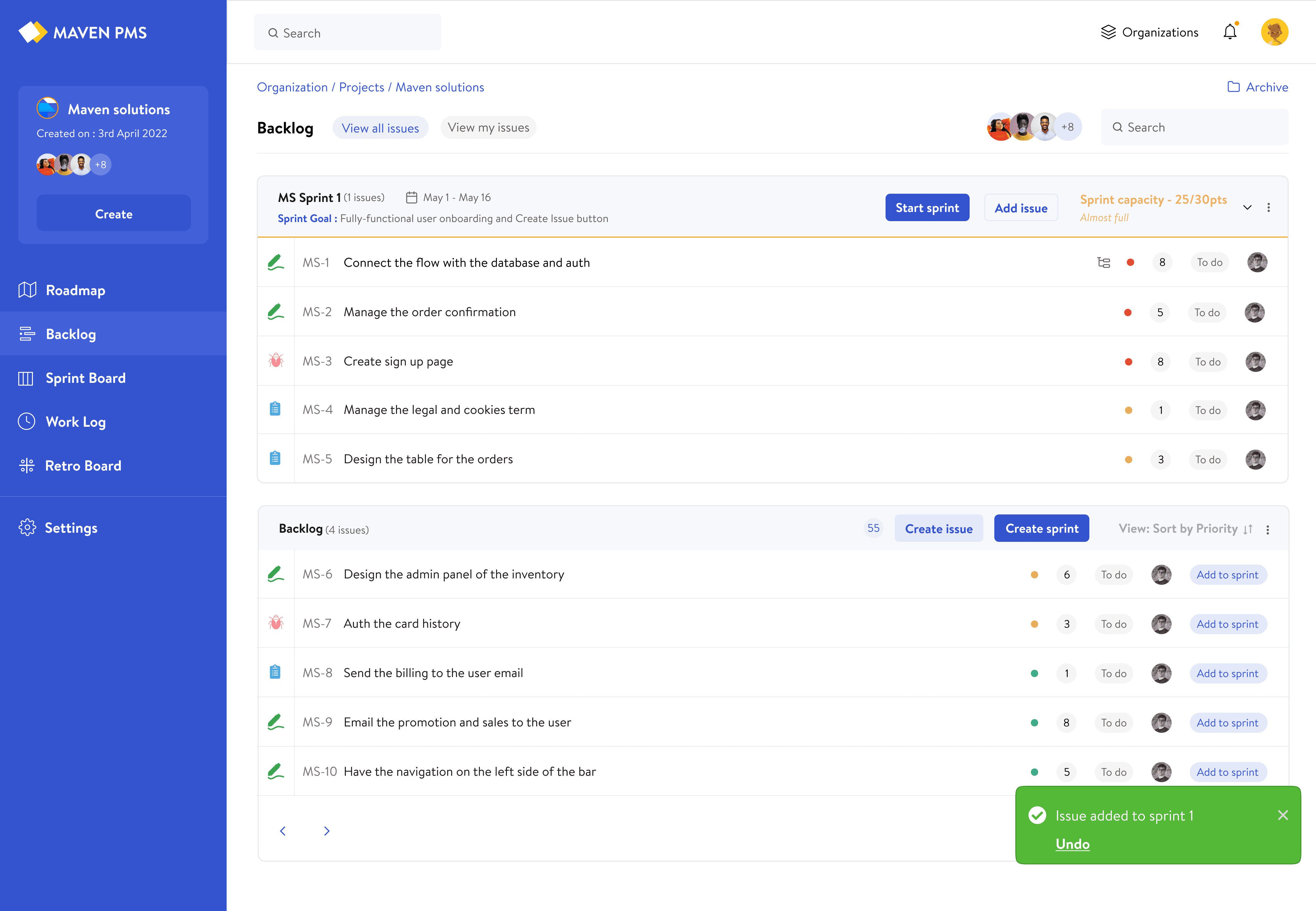
Approaching Capacity
The system gives early signals as the sprint nears its limit, helping teams adjust before overcommitting.
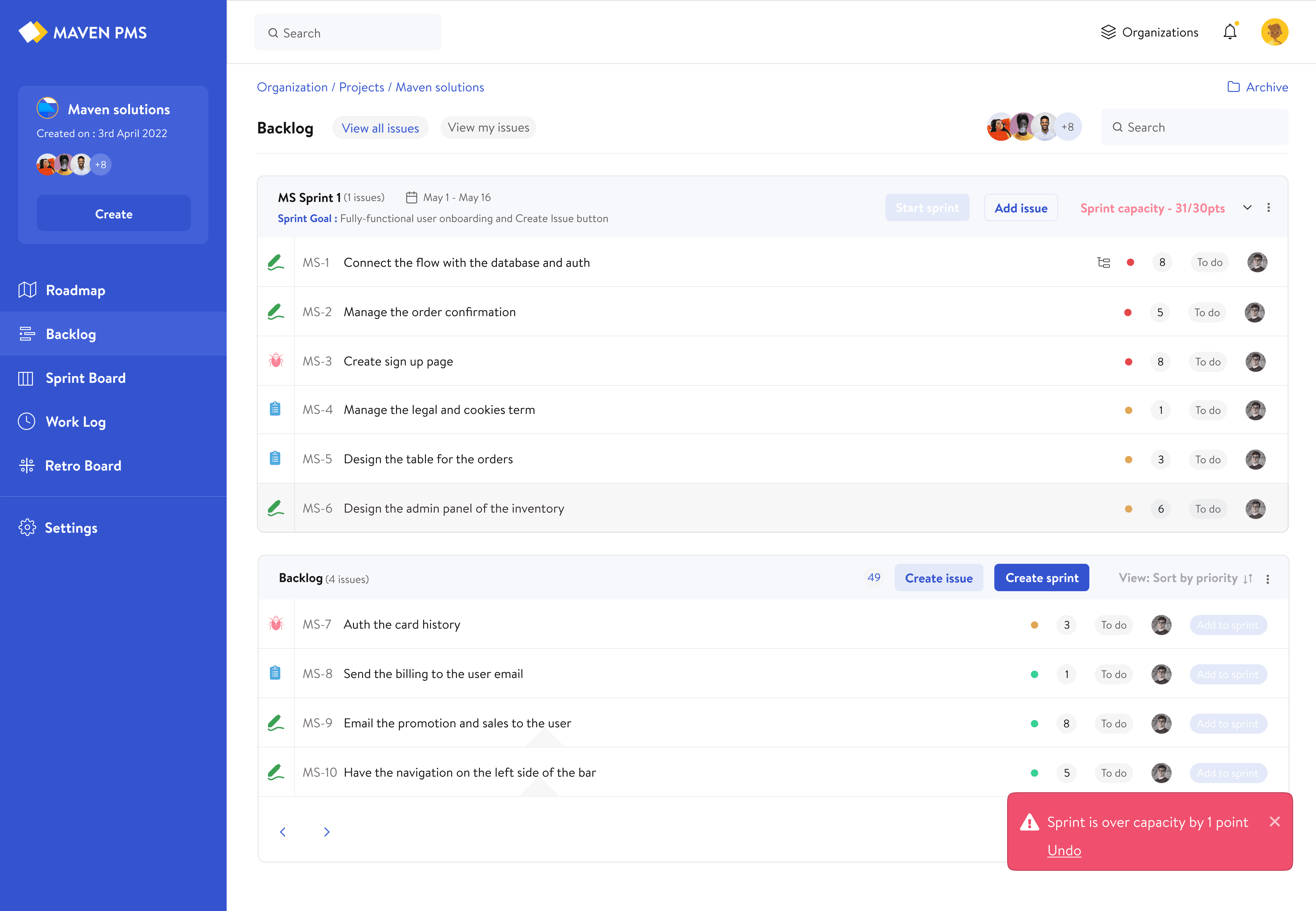
Exceeding Capacity
Teams can still add work during planning, but stronger feedback makes the impact clear before starting the sprint.
Why this Works
Planning often fails when teams cannot see the impact of adding more work. Making this visible helps teams adjust before the sprint starts.
Time Logging & Real-Time Workload Tracking
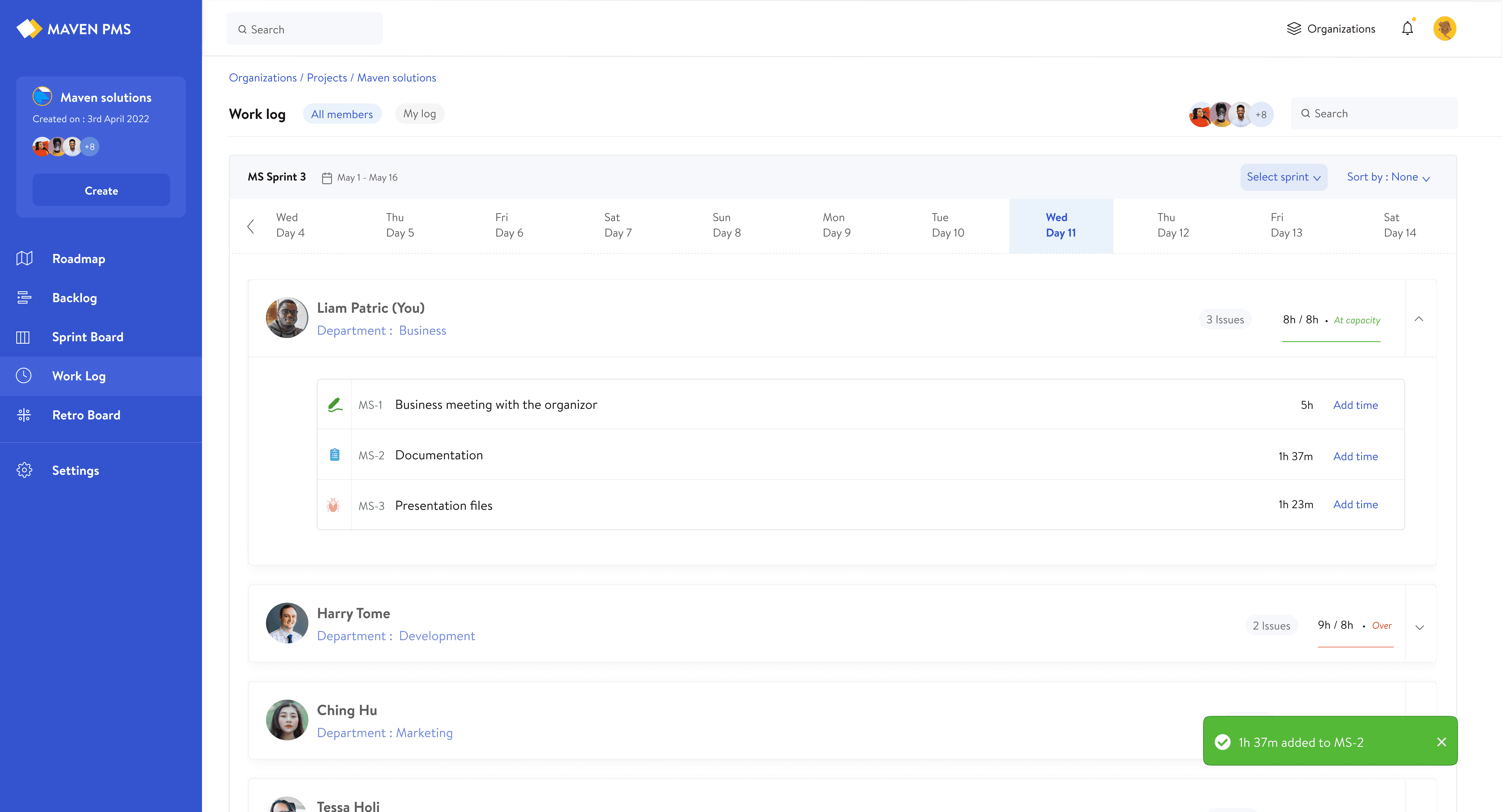
Time tracking shouldn’t require leaving the workflow. Logging was integrated directly into the work log, allowing teams to track hours in context and see daily progress in real time.
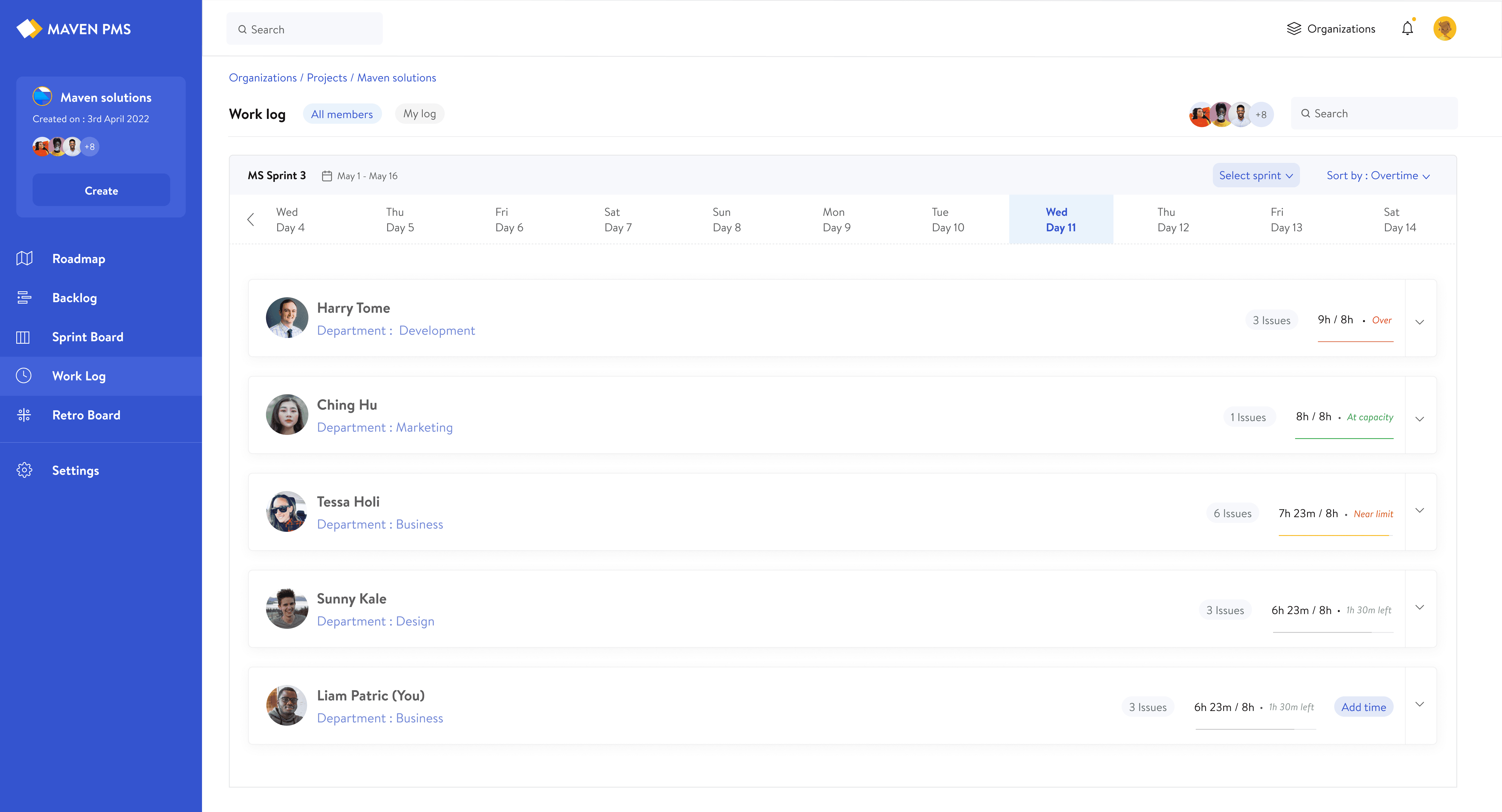
Workload Visibility
Users can instantly see how many hours each team member has logged against their daily limit, making workload distribution clear at a glance.
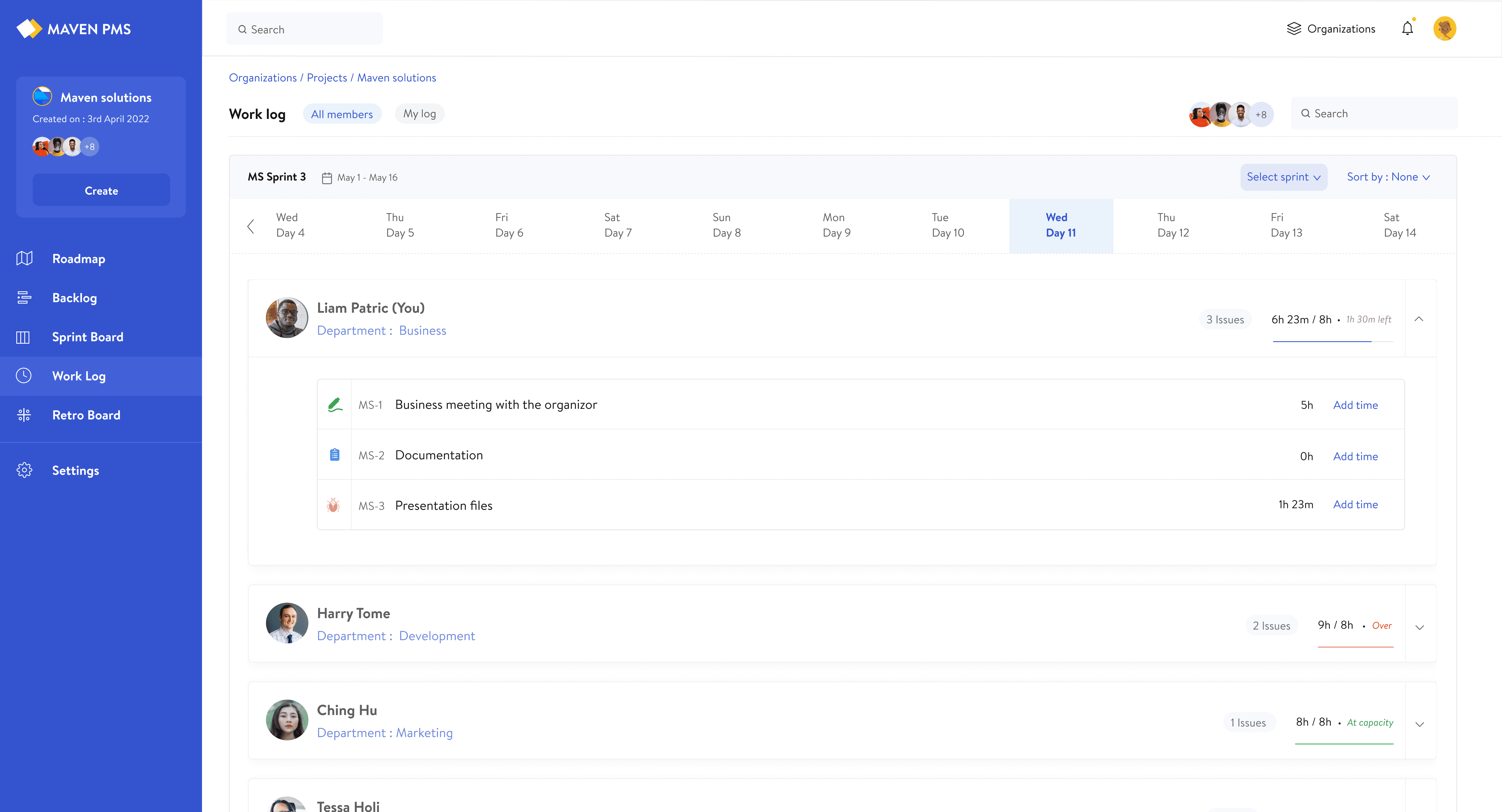
Task-Level Breakdown
Expanding a member reveals issue-level time, allowing users to see where time is being spent and add time directly to each issue.
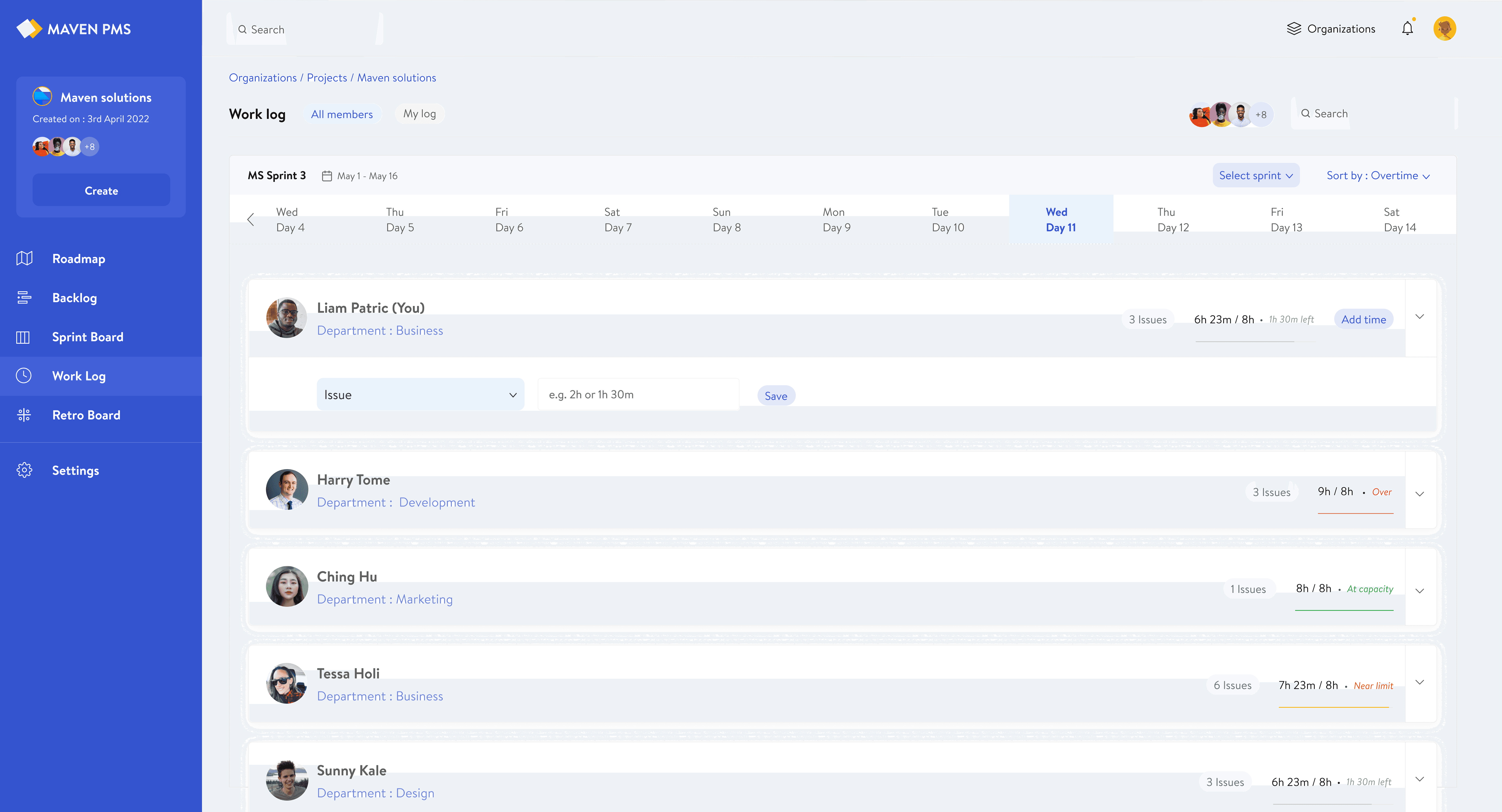
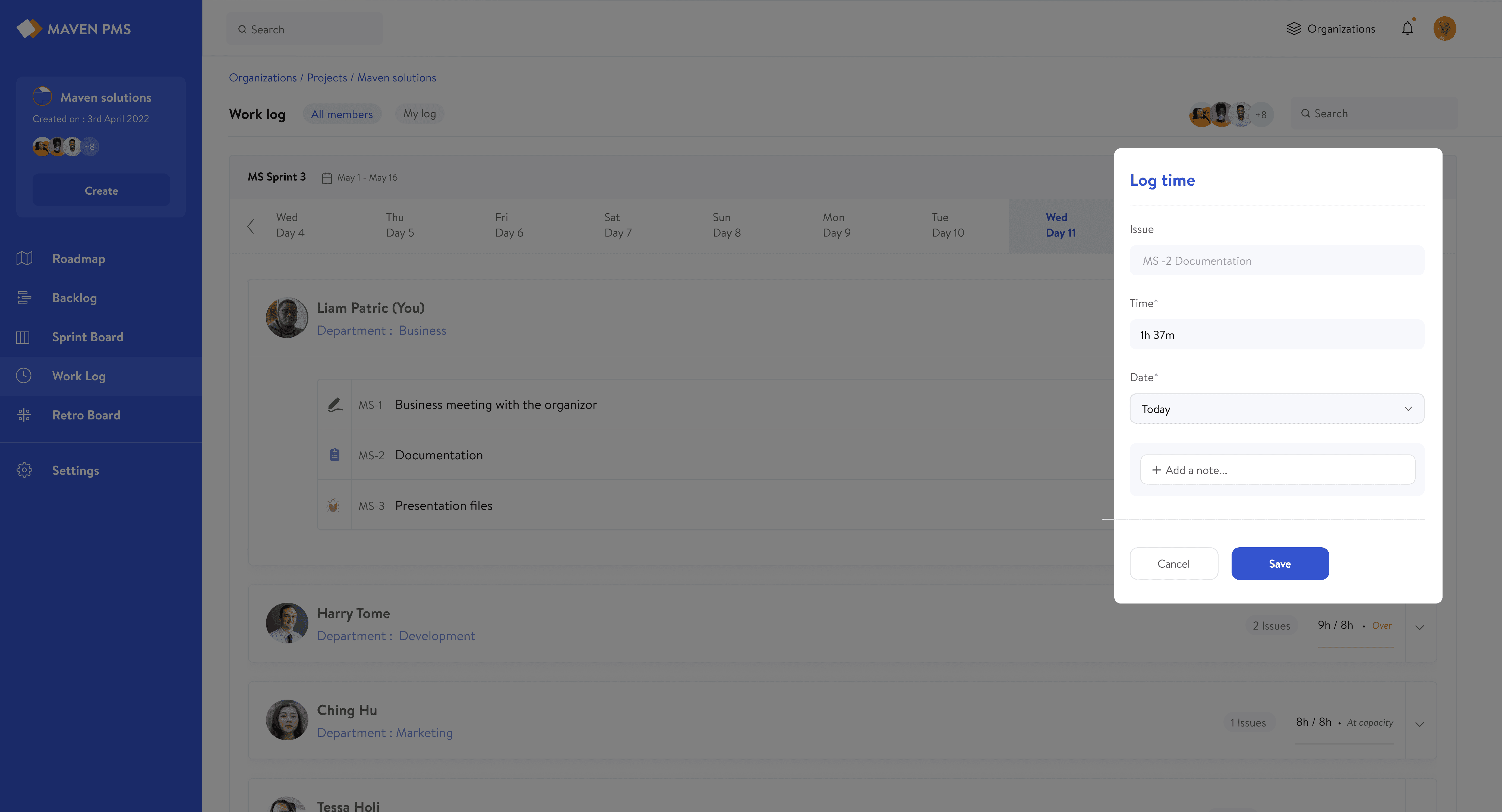
In-Context Time Logging
Time can be added directly from the work log through a side panel, eliminating tool-switching and reducing friction in a repeated daily action.
From issue → issue prefilled (Image 1)
From member → issue selectable (Image 2)
Real-Time Allocation Updates
As time is logged, the system updates instantly, reflecting changes in issue time, total daily hours, and workload status without requiring a refresh.
Why this Works
This works because it removes the need for teams to switch between tools, making task updates, time tracking, and feedback part of the same workflow instead of separate responsibilities.
Over time, this creates a feedback loop where actual work patterns directly inform future sprint planning and capacity decisions.
Sprint Reflection & Continuous Improvement
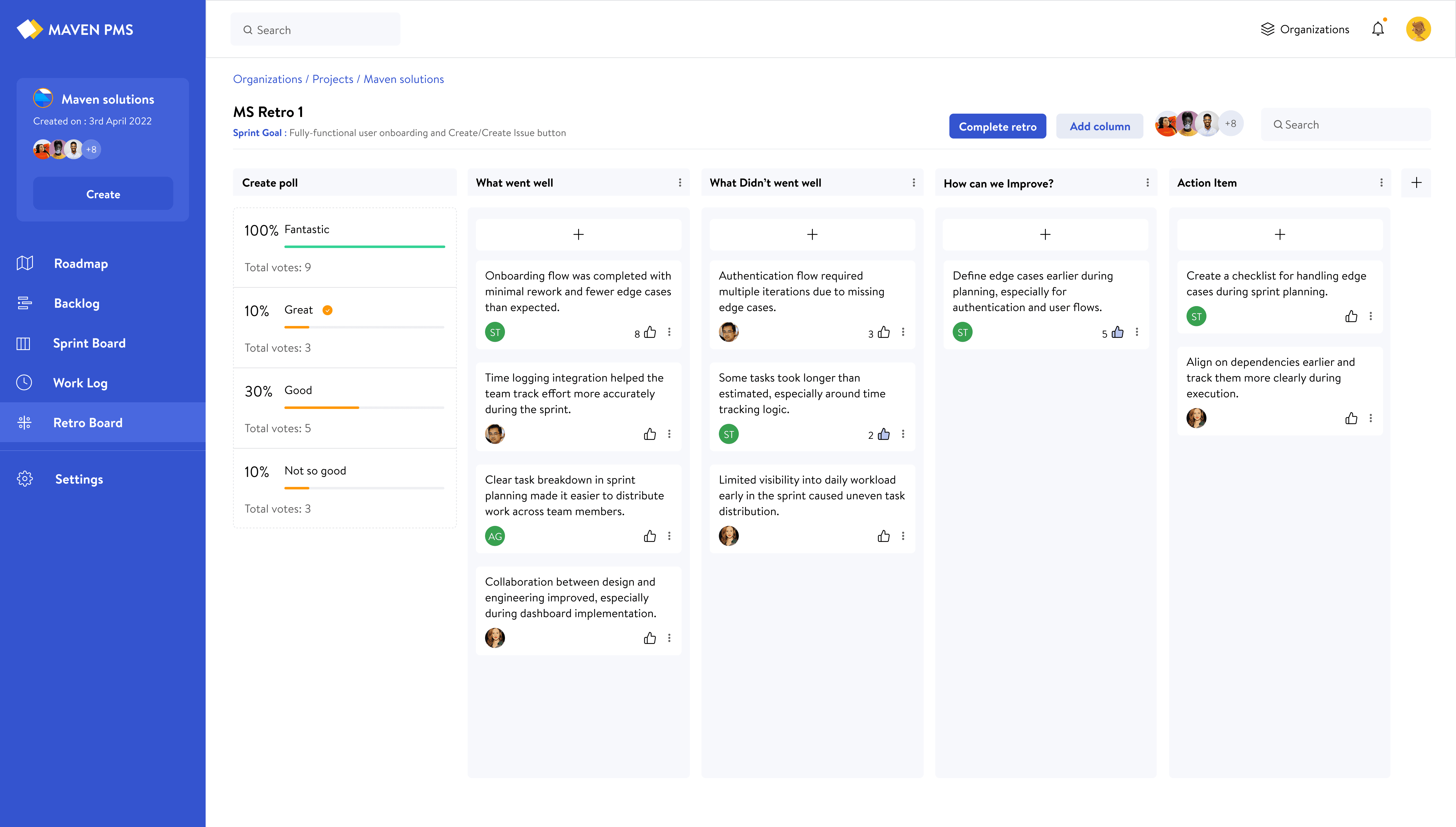
Reflection should be simple and actionable. The retro board helps teams capture feedback, prioritize what matters, and turn insights into improvements for future sprints.
Structured Feedback
Feedback is organized into clear categories, allowing teams to capture what went well, identify challenges, and define improvements in a structured way.
Why this Works
This flow works because it brings feedback, prioritization, and action into one place. Teams can capture insights, align on what matters, and convert them into actionable improvements without losing context.
Over time, this creates a continuous feedback loop, where learnings from each sprint directly inform better planning and execution in the next.
Impact & Testing
Within the first few weeks of use, the team adopted daily task and time logging as part of their workflow, improving sprint visibility and reducing the need for manual status check-ins.
The system was used by a 20–25 person team during active work, with feedback collected continuously and changes made alongside usage.
Sprint planning shifted from assumption-based to visibility-driven, with clear ownership and workload distribution before execution began.
Time tracking improved as it was integrated directly into tasks.
The system aligned with existing team behavior, reducing the need for follow-ups and making execution more predictable without additional process overhead.
Key Takeaways
01
Simplifying workflows for a 20–25 person team required reducing setup and ongoing effort, not adding more features.
02
Planning gets harder when teams can’t see how work is distributed, so clear workload visibility matters more than flexibility.
03
Systems are only reliable when teams consistently update them, which depends on how easy it is to log and track work.
Explore More Projects
Next Project
Interested in working together?
If you’re working on something where clarity matters, I’d love to connect.